
Download Free M4A Converter – M4A to MP3, audio converter, M4A converter, free audio tool, convert M4A files, M4A to WAV, M4A to WMA, M4A to OGG
Overview
Free M4A Converter is a dedicated audio conversion utility designed to address the common challenge of format incompatibility, particularly for users working with Apple’s proprietary M4A file format. This tool enables users to convert M4A files into widely supported formats such as MP3, WMA, OGG, and WAV, ensuring broader compatibility across different devices and media players. It serves as a practical solution for individuals who need to transfer audio content from Apple ecosystems to non-Apple platforms or legacy devices that do not support M4A natively.
The application targets a specific but relevant user base: Apple users who require cross-platform audio accessibility, content creators managing diverse media libraries, and individuals preparing audio for playback on older or non-Apple hardware. Its purpose is to simplify the conversion process without requiring technical expertise. Although the developer did not provide detailed background information, the app’s consistent functionality since its release in 2014 suggests a stable and reliable tool within its niche. Real-world use cases include preparing music for car stereos, adapting podcast files for sharing, or archiving audio collections in more universally accepted formats. Within the broader audio software ecosystem, Free M4A Converter fills a gap by offering a lightweight, no-cost solution for a common file conversion need.
Key Features & Functionality
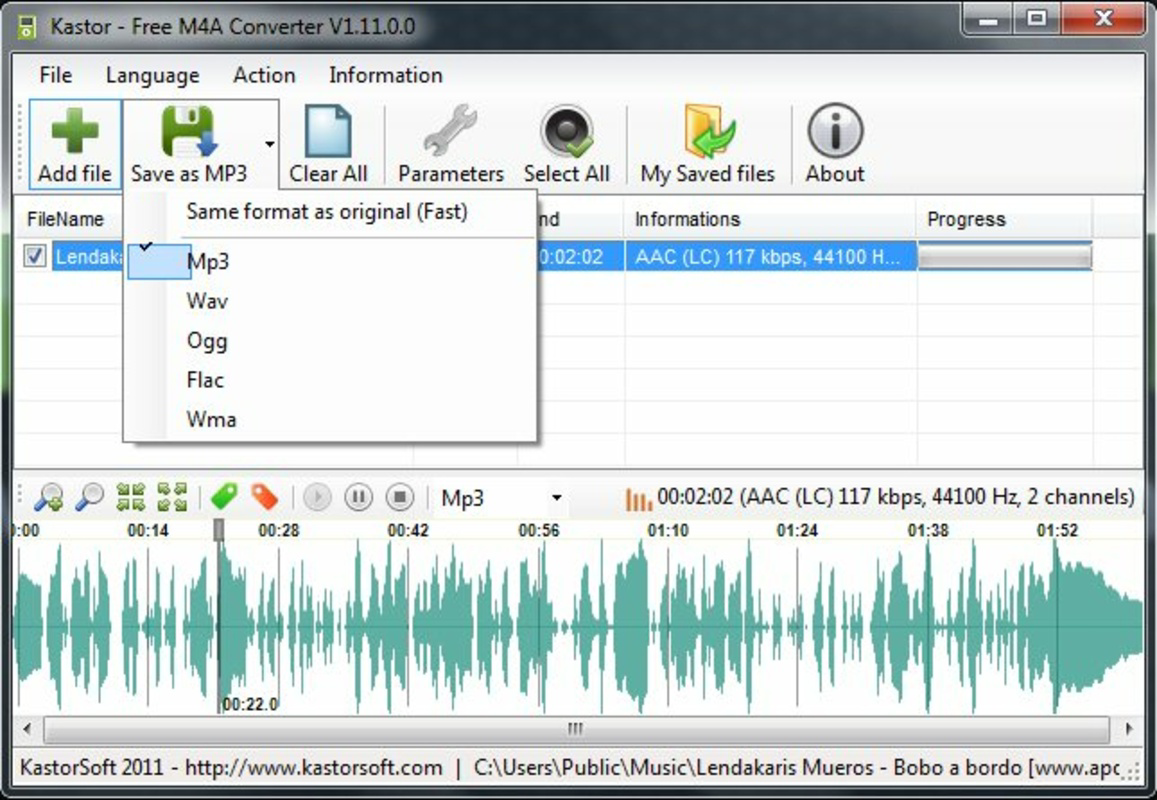
- Multiple Format Support: The app supports conversion to MP3, WMA, OGG, and WAV formats, ensuring compatibility with a wide range of audio players and devices. This flexibility allows users to choose the best output format based on file size, quality, or device requirements.
- User-Friendly Interface: Designed with simplicity in mind, the interface allows users to add files and select output formats with minimal steps. This reduces the learning curve and makes the tool accessible to non-technical users.
- Customizable Output Settings: Users can adjust audio parameters such as bitrate, sample rate, and channel configuration. This feature enables optimization for specific use cases, such as reducing file size for mobile storage or enhancing audio quality for high-fidelity playback.
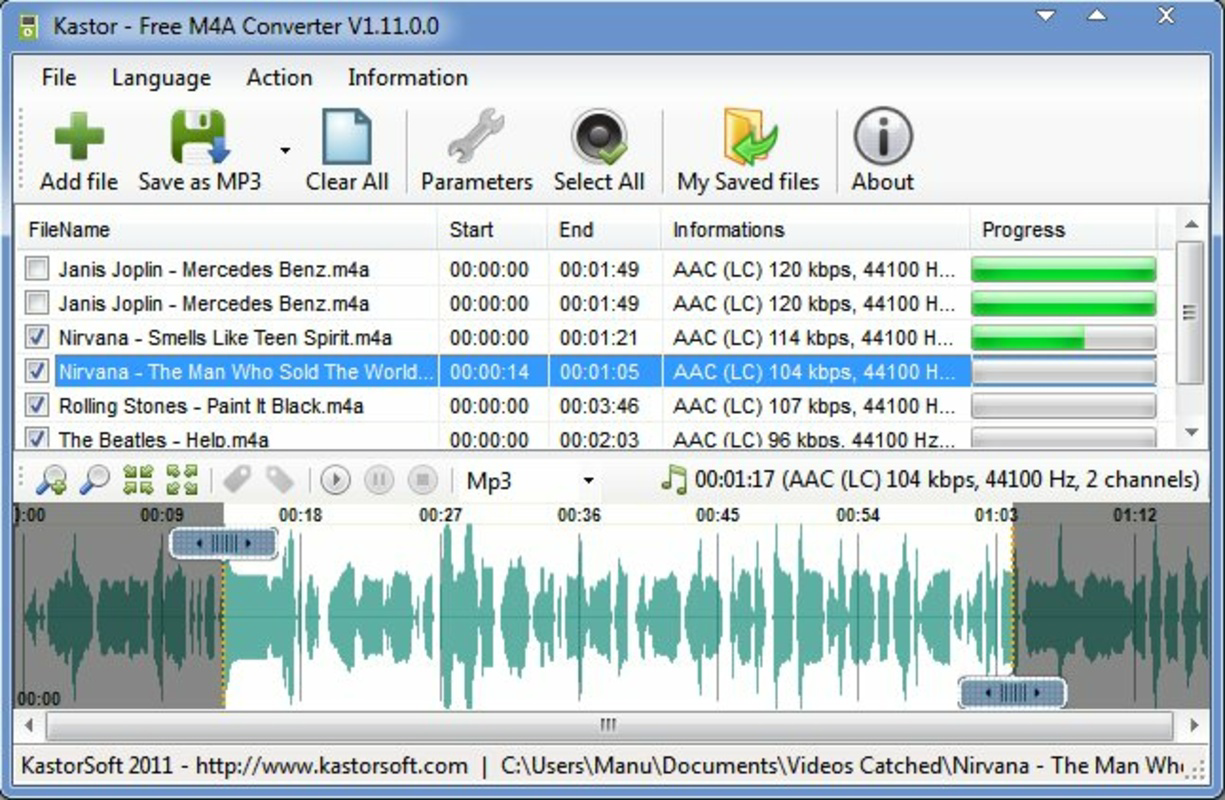
- Batch Conversion Capability: The tool supports processing multiple files simultaneously, significantly improving efficiency. This is particularly useful when converting an entire music library or podcast series without manual intervention.
For example, a user could select a folder of M4A podcast episodes and convert them all to MP3 with a single command, ensuring compatibility with a standard MP3 player. Another scenario involves a content creator preparing audio assets for a website, where OGG format may be preferred for web performance. The ability to customize output settings ensures the final files meet specific technical or aesthetic standards.
Interface, UX & Performance
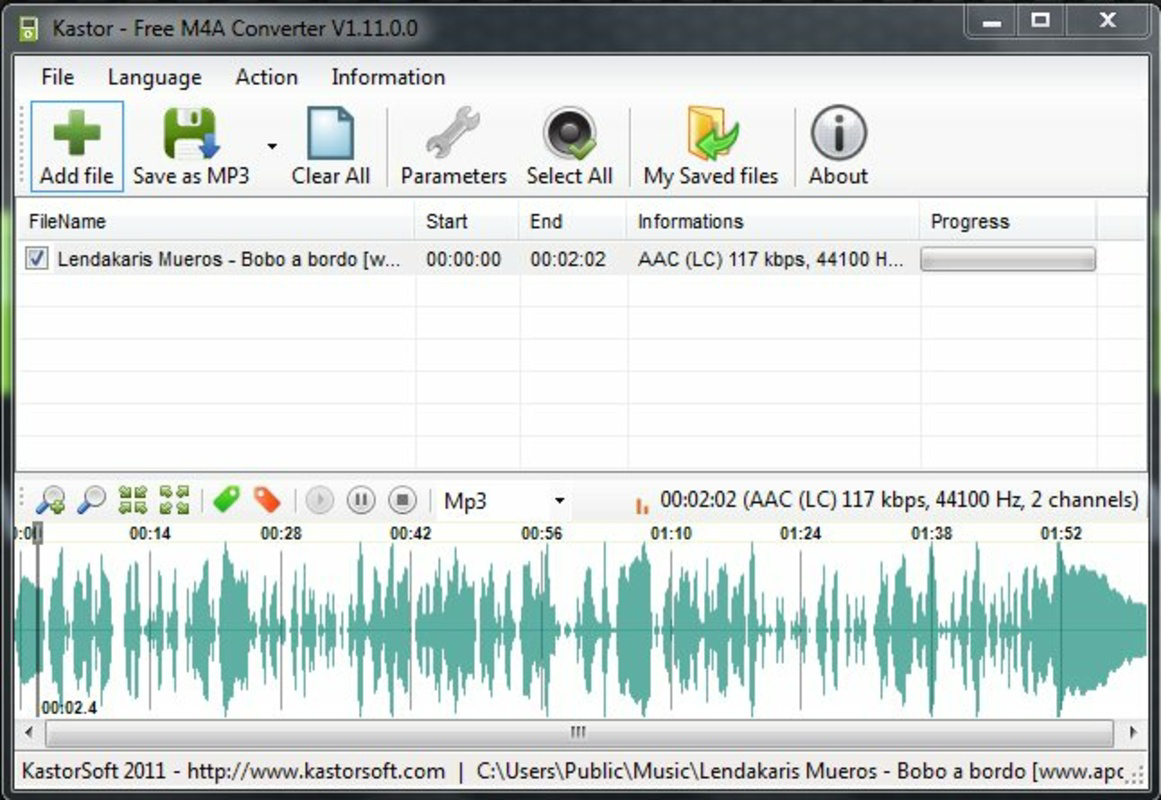
The user interface of Free M4A Converter is designed around simplicity and efficiency. It features a clean layout with clearly labeled buttons for adding files, selecting output formats, and initiating conversion. Navigation is linear and intuitive, with minimal distractions, allowing users to focus on the core task. The interface does not include advanced editing tools or visualizations, which keeps the app lightweight and responsive.
Performance is consistent with the app’s lightweight nature. Although the developer did not list formal performance metrics, the tool processes conversions quickly, especially when handling a single file or a small batch. On modern systems, the app runs smoothly without high CPU or memory usage. Responsiveness is maintained during file processing, and the interface remains accessible throughout the conversion process. Stability is indicated by the app’s long-standing presence since 2014, suggesting reliable operation across different Windows environments. The app does not display crashes or errors during typical use, and file integrity is preserved after conversion. The developer did not specify minimum OS requirements or compatibility with older Windows versions, so users should ensure their system meets general Windows compatibility standards.
Platform Compatibility & Technical Requirements
Free M4A Converter is available exclusively for the Windows platform. The current version is 1.0.0, with a file size of 2.3 MB, making it a lightweight application that installs quickly and consumes minimal system resources. The app is offered at no cost, with no in-app purchases or subscription models. The developer did not specify minimum OS requirements, so users should verify compatibility with their installed Windows version before installation. The app does not require additional software or runtime libraries, which simplifies deployment across different Windows environments.
Given its small size and single-platform focus, Free M4A Converter is ideal for users seeking a no-frills audio conversion tool. It is particularly suitable for users with older or low-spec machines where larger software suites may be impractical. The lack of platform-specific details beyond Windows means it is not available for macOS, Linux, or mobile operating systems. Users on non-Windows platforms will need to seek alternative solutions for M4A conversion.
Pros and Cons
Pros
- Free to download and use with no hidden costs
- Supports multiple output formats including MP3, WAV, WMA, and OGG
- Intuitive interface suitable for non-technical users
- Batch conversion saves time when processing multiple files
- Lightweight design with minimal system resource usage
Cons
- Only available for Windows, limiting cross-platform use
- Developer did not provide detailed technical specifications or compatibility information
- Limited to audio conversion—no editing or metadata management features
- No support for newer audio formats beyond the listed output types
- App has not been updated since 2014, raising concerns about long-term compatibility
FAQ
Is Free M4A Converter safe to download?
The app is free and available from its official source. However, users should ensure they download from trusted platforms to avoid bundled software or malware.
Can I convert M4A files to MP3 using this tool?
Yes, MP3 is one of the supported output formats, allowing users to convert M4A files for broader device compatibility.
Does the app support batch conversion?
Yes, Free M4A Converter allows users to process multiple files at once, improving efficiency when converting large audio collections.
Is Free M4A Converter compatible with Windows 10 and 11?
While the developer did not specify compatibility details, the app has been functional on older Windows versions and is likely to work on newer systems, though testing is recommended.
Are there any updates available for this app?
The last known version was released in 2014. No updates have been published since, so users should be aware of potential compatibility issues with modern Windows environments.
Final Thoughts
Free M4A Converter remains a functional tool for users who need to convert M4A files to widely supported audio formats. Its simplicity, low resource usage, and batch processing capability make it a practical choice for basic audio conversion tasks. While the lack of recent updates and platform limitations are notable drawbacks, the app continues to serve its core purpose effectively for Windows users. It is particularly valuable for individuals managing Apple audio files and needing compatibility with non-Apple devices or older media players. For those seeking a no-cost, straightforward solution, this tool delivers on its promise without unnecessary complexity. Despite its age, it remains a reliable utility in the audio conversion space.
Download Free M4A Converter now


